3D Rendering Software in 2026: 16 Programs Compared
The best 3D rendering software for architecture in 2026 is Enscape or Twinmotion for live views of a design model, D5 Render or Lumion for fast presentation images and video, and V-Ray or Corona for the most realistic final stills. Prices run from free (Blender, and Twinmotion for firms under $1 million in revenue) to $1,149 a year for Lumion Pro. Every price below was read on the maker's own page on 30 September 2026.
- Cheapest paid real-time renderer
- D5 Render Pro, $360 a year
- Free for commercial work
- Blender; Twinmotion and Unreal under $1M revenue
- Most used for final stills
- V-Ray and Corona
- Runs inside Revit and SketchUp
- Enscape, V-Ray
- Runs on a Mac
- 10 of the 16
- Prices read on
- 30 September 2026
By the Smart 3D Render studio · Published · Updated
What is 3D rendering software?
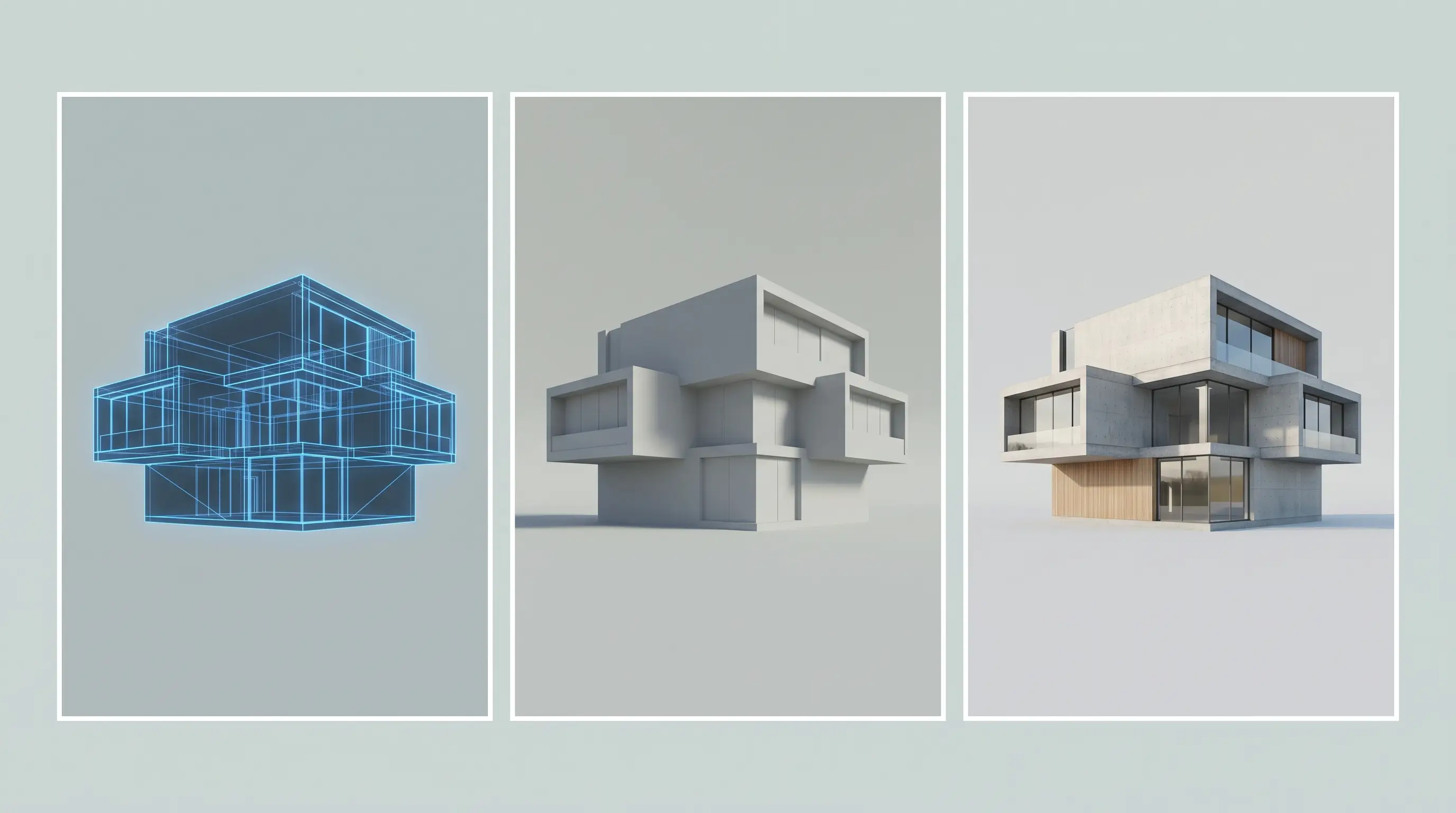
3D rendering software is a program that turns a 3D model into an image by working out how light falls on its surfaces. It is not the program the model is built in. Revit, SketchUp, Rhino, Archicad and 3ds Max are modellers, and a renderer either plugs into one of them or imports its files. Blender and Cinema 4D are both: a modeller with a renderer built in.
What is the difference between real-time and offline rendering software?
Real-time rendering software shows the finished-looking image while you move the camera, and saves a picture in seconds. Offline rendering software traces the light in the scene more completely and takes minutes or hours for each image. Real-time is for design reviews, walkthroughs and quick presentation images. Offline is for the final marketing still that will be printed large.
| Real-time | Offline | |
|---|---|---|
| Time for one image | Seconds | Minutes to hours |
| Works on | The graphics card | The processor, the graphics card, or both |
| Best for | Design reviews, video, walkthroughs | Final stills, print, close-up detail |
| Programs | Enscape, Twinmotion, D5 Render, Lumion, Chaos Vantage, Unreal Engine | V-Ray, Corona, Arnold, Cycles in Blender, OctaneRender, Redshift |
What does each 3D rendering program cost a year?
3D rendering software costs from nothing to $1,850 a year for one user. The table gives the lowest price for a single user on the maker's own page, and whether there is a free version.
| Software | Type | Price a year, one user | Free version | Runs on |
|---|---|---|---|---|
| Enscape | Real-time, inside the design program | $574.80 (Solo) | No | Windows, Mac |
| Twinmotion | Real-time | $445 a seat | Free for firms under $1 million in revenue | Windows, Mac |
| D5 Render | Real-time | $360 (Pro) | Community version, non-commercial work only | Windows |
| Lumion Pro | Real-time | $1,149 | No | Windows |
| Chaos Vantage | Real-time | Sold inside the V-Ray Collection ($886.80) and Corona Collection ($790.80) | No | Windows |
| Unreal Engine | Real-time | $1,850 a seat | Free for firms under $1 million in revenue | Windows, Mac, Linux |
| V-Ray | Offline | $540 (Solo) | No | Windows, Mac |
| Corona | Offline | $414 (Solo) | No | Windows; Mac with Cinema 4D |
| Arnold | Offline | About $430, as reported by CG Channel | No | Windows, Mac, Linux |
| Blender | Modeller with two renderers | Free | Free and open source | Windows, Mac, Linux |
| OctaneRender | Offline, on the graphics card | €19.99 a month billed yearly (priced in euros) | Limited demo | Windows, Linux, Mac |
| Redshift | Offline, on the graphics card | $289 | No | Windows, Mac, Linux |
| Cinema 4D | Modeller, includes Redshift | $839 | No | Windows, Mac |
| KeyShot Studio | Product rendering | $1,299 (Professional) | No | Windows, Mac |
| Veras | AI image generator | $202.80 (Starter) | No | Inside Revit, SketchUp, Rhino, Archicad; web |
| mnml.ai | AI image generator | $29 a month (Lite) | 100 free credits | Web browser |
Which real-time rendering software is best for architects?
The best real-time rendering software for an architect is the one that works with the program the model is already in. Six programs cover the field, and they differ in where they run, what they cost and what computer they need.
Enscape
Enscape is a real-time renderer that runs inside the design program: Revit, SketchUp, Rhino, Archicad and Vectorworks on Windows, and all of those except Revit on a Mac with Apple silicon. The rendered view updates as the model changes, which is why it is the usual choice for design reviews. Enscape Solo costs $574.80 a year and includes the Veras AI tool. It needs a graphics card with 4 GB of memory, and its maker, Chaos, recommends 8 GB.
Twinmotion
Twinmotion is a standalone real-time renderer from Epic Games, and it is free for individuals and companies with less than $1 million in annual revenue. Above that it costs $445 a seat a year. It runs on Windows and Mac and takes models from Revit, SketchUp, Archicad, Rhino and 3ds Max through a direct link. It makes stills, video and panoramas, and has a path-traced mode for which Epic recommends 8 GB of graphics memory.
D5 Render
D5 Render is a standalone real-time renderer built on ray tracing, and at $360 a year for D5 Pro it is the cheapest paid program in this group. The free Community version is for learning and personal projects only: paid work needs Pro. It runs on Windows only, with a GeForce GTX 1060 6 GB as the minimum card, and links to SketchUp, Revit, Rhino, 3ds Max, Archicad, Blender and Vectorworks.
Lumion
Lumion Pro is a standalone real-time renderer for presentation images and video, at $1,149 a year for a named user and $1,499 for a floating seat. It runs on Windows only; Lumion says Macs are not officially supported. It links live to SketchUp, Revit, Archicad, Rhino, AutoCAD and Vectorworks. The minimum computer has 6 GB of graphics memory and 16 GB of RAM, and the recommended one has 10 GB and 32 GB.
Chaos Vantage
Chaos Vantage is a real-time ray tracer that opens scenes made for V-Ray, Corona and Enscape, so a studio can walk through a scene it has already built for final stills. It is not sold on its own. It comes in the V-Ray Collection at $886.80 a year and the Corona Collection at $790.80. It runs on Windows and needs a ray-tracing graphics card, a GeForce RTX 20 series or newer.
Unreal Engine
Unreal Engine is a game engine used in architecture for interactive walkthroughs and film-quality animation. It is free for companies with less than $1 million in annual revenue and $1,850 a seat a year above that. Epic recommends 32 GB of RAM and a graphics card with 8 GB of memory. It does the most of any program here and takes the longest to learn, so it suits a visualisation team more than a design office.
Which software gives the most realistic renderings?
The most realistic renderings come from offline renderers, which trace light through the scene instead of approximating it. V-Ray and Corona are the two most used in architectural visualisation, and five more are in regular use.
V-Ray
V-Ray is an offline renderer that works inside 3ds Max, SketchUp, Rhino, Revit, Cinema 4D and Maya. It renders on the processor, the graphics card, or both together, which makes it the most flexible of the offline engines. V-Ray Solo costs $540 a year. Chaos lists 8 GB of RAM as the minimum and 64 GB as the recommendation.
Corona
Corona is an offline renderer for 3ds Max and Cinema 4D that renders on the processor only, so it needs a strong CPU and a lot of memory but no special graphics card. Chaos describes 32 GB of RAM as the minimum and 64 GB as the sweet spot. Corona Solo costs $414 a year. With 3ds Max it runs on Windows only; with Cinema 4D it also runs on a Mac.
Arnold
Arnold is Autodesk's offline renderer, with plugins for 3ds Max, Maya, Cinema 4D and Houdini. It renders on the processor or on an NVIDIA graphics card, and runs natively on Apple silicon. Autodesk's page showed no price when it was read; the trade site CG Channel reports $430 a year. It is used more in film and animation than in architecture.
Blender: Cycles and Eevee
Blender is a free, open-source modeller with two renderers built in: Cycles, an offline path tracer that runs on the processor or the graphics card, and Eevee, a real-time engine. It runs on Windows, Mac and Linux. The minimum computer has 8 GB of RAM, and the recommended one has 32 GB and a graphics card with 8 GB. It costs nothing, and it asks for more learning than a plugin inside Revit or SketchUp.
OctaneRender
OctaneRender is an offline renderer from OTOY that runs entirely on the graphics card. It needs an NVIDIA card on Windows and Linux, or an Apple M1 or newer on a Mac. It has plugins for 3ds Max, Revit, SketchUp, Archicad, Rhino, Blender and Cinema 4D. OTOY prices it in euros: €19.99 a month billed yearly.
Redshift and Cinema 4D
Redshift is Maxon's offline renderer for the graphics card, at $289 a year, and it needs a card with at least 8 GB of memory. It works in Cinema 4D, 3ds Max, Maya, Houdini and, in recent versions, Vectorworks and Revit. Cinema 4D, Maxon's modeller, costs $839 a year and includes Redshift. Both are more common in motion design than in architecture.
Which software is best for product rendering?
KeyShot Studio is the program built for product rendering. It opens more than 34 CAD formats, with plugins for Fusion, Creo, NX, Solid Edge, Onshape, Rhino and SketchUp, and renders on the processor or the graphics card. KeyShot Professional costs $1,299 a year. A brand that needs a handful of images a year usually spends less on 3D product rendering, which starts at $129 an image.
Can AI do 3D rendering?
AI can make a rendered-looking image from a sketch or a view of a model in seconds, and it cannot yet make the same building twice. An AI tool invents the detail it is not given, so a second view does not match the first. That makes it useful for early concept images and unsuitable for a set of views that must agree. In the CGarchitect rendering engine survey published in March 2025, 56% of respondents said they were already using AI tools in their work.
Veras, from Chaos, works inside Revit, SketchUp, Rhino and Archicad and costs $202.80 a year on its own; it is also included with Enscape, V-Ray and Corona. mnml.ai runs in a web browser from $29 a month, with 100 free credits to start.
Which rendering software should you use for which job?
The right rendering software follows from the deliverable. The table answers the questions architects and developers ask most.
| The job | Software | Why |
|---|---|---|
| A live view that updates as the design changes | Enscape | It runs inside Revit, SketchUp, Rhino and Archicad, so there is no export |
| A residential development brochure with many matching buildings | Enscape while the design is moving, Lumion once it is fixed | Enscape renders every building from the one model with the same settings. Lumion adds landscape, people and sky to a finished scene |
| Real estate walkthroughs and video | Twinmotion | Free under $1 million in revenue, $445 a seat above it, with video and panoramas built in |
| Fast images on a small budget | D5 Render | $360 a year, with ray-traced lighting in real time |
| The most realistic still for print | V-Ray or Corona | Offline path tracing, at the cost of minutes or hours an image |
| An interactive model a buyer can walk around | Unreal Engine | It is a game engine, and free under $1 million in revenue |
| Product images from CAD | KeyShot Studio | It reads engineering CAD formats directly |
| A concept image from a sketch | Veras or mnml.ai | Seconds an image, with detail that is invented |
| Learning, at no cost | Blender | Free, with an offline and a real-time renderer |
Is Lumion or Enscape better?
Enscape is better while the building is still being designed, and Lumion is better for presentation once it is settled. Enscape lives inside the design program, so a change to the model is a change to the render. Lumion is a separate program where a finished model is dressed with planting, people, weather and animation. Enscape costs $574.80 a year and runs on Windows and Mac. Lumion costs $1,149 and runs on Windows.
Is Enscape or D5 Render better?
Enscape is better for working inside Revit or on a Mac, and D5 Render is better on price. Enscape runs inside the design program on Windows and Mac for $574.80 a year. D5 Render is a separate Windows program with real-time ray tracing for $360 a year, and free for non-commercial work.
Is there free 3D rendering software?
Yes. Three programs on this list can be used for paid work at no cost: Blender, Twinmotion and Unreal Engine. Three more have a free tier for trying or learning.
- Blender is free and open source, for any use.
- Twinmotion is free for individuals and companies with less than $1 million in annual revenue.
- Unreal Engine is free under the same $1 million limit.
- mnml.ai gives 100 free credits to a new account.
- D5 Render Community is free for learning and personal projects, not for client work.
- OctaneRender has a free demo with limited features.
Which rendering software runs on a Mac?
Ten of the sixteen programs run on a Mac: Enscape, Twinmotion, Unreal Engine, V-Ray, Blender, OctaneRender, Redshift, Cinema 4D, Arnold and KeyShot Studio. Corona runs on a Mac with Cinema 4D only. Lumion, D5 Render and Chaos Vantage are Windows programs. On a Mac, Enscape works with SketchUp, Rhino, Archicad and Vectorworks, and needs Apple silicon.
How much RAM and what graphics card do you need for 3D rendering?
A computer for real-time rendering needs a graphics card with 6 to 8 GB of memory and 16 to 32 GB of RAM. A computer for offline rendering on the processor needs 32 to 64 GB of RAM. The table gives each maker's own minimum and recommendation.
| Software | Minimum | Recommended or high-end |
|---|---|---|
| Enscape | Graphics card with 4 GB | GeForce RTX 3070 Ti or Radeon RX 6800, 8 GB |
| Twinmotion | Graphics card with 6 GB, 16 GB RAM | Graphics card with 12 GB, 64 GB RAM |
| D5 Render | GeForce GTX 1060 6 GB | Not stated |
| Lumion Pro | Graphics card with 6 GB, 16 GB RAM | Graphics card with 10 GB, 32 GB RAM |
| Unreal Engine | Not stated | Graphics card with 8 GB, 32 GB RAM |
| V-Ray | 8 GB RAM | 64 GB RAM |
| Corona | 32 GB RAM, no graphics card needed | 64 GB RAM |
| Blender | 8 GB RAM, graphics card with 2 GB | 32 GB RAM, graphics card with 8 GB |
| Redshift | Graphics card with 8 GB, 16 GB RAM | Graphics card with 12 GB |
| KeyShot Studio | 4 GB RAM | 16 GB RAM; graphics card with 8 GB for GPU mode |
Which rendering software is best for beginners?
The best rendering software for a beginner is a real-time renderer that works with the modelling program they already know: Enscape inside Revit or SketchUp, or Twinmotion and D5 Render beside them. The image appears as soon as the model is opened, and there is little to set up. Blender costs nothing, but it is a complete modelling program as well as a renderer, and takes longer to learn.
What do architects use to make renderings?
Architects mostly use a real-time renderer linked to their design model, and visualisation specialists mostly use V-Ray or Corona. The 2024/25 CGarchitect rendering engine survey reports the continued dominance of V-Ray and Corona among its respondents, with Unreal Engine, Lumion and Chaos Vantage gaining ground. The survey is run by a community that Chaos owns, and Chaos makes V-Ray, Corona and Vantage.
When is it cheaper to hire a rendering studio than to buy the software?
It is cheaper to hire a rendering studio when you need a few images a year, and cheaper to buy the software when you render every week. Lumion Pro costs $1,149 a year before the computer and the hours spent learning it. One exterior view from this studio costs $449, so the licence alone equals two to three finished views. A design office that needs images for every review should own a real-time renderer. An office that needs four marketing images for one project usually spends less by sending the model. Architectural rendering services here start at $249 for a concept view, and the 3D rendering prices are fixed per view.
Questions about 3D rendering software
The best 3D rendering software depends on the job. Enscape is the usual choice for live views inside Revit or SketchUp, Twinmotion and D5 Render for fast presentation images, and V-Ray or Corona for the most realistic final stills. Blender is the best free option.
Software is one way to get a rendering. The other is to send the model to a studio and receive the finished views at a fixed price.
Architectural rendering servicesRelated reading
- How much 3D rendering costs, what studios charge, by type of image
- How to prepare CAD files for rendering, Revit, SketchUp and AutoCAD
- The 3D rendering process, how an order runs